See it

Look first. Then bring your data.

Ten frames of the live platform, no sign-up, no video to wait for. When it looks like your day, ask for a working demo on your own numbers.

  1. 01 The walkthrough
  2. 02 The film
  3. 03 A live demo
  4. 04 Design partners

The guided walkthrough

Ten frames, in the order a planner meets them

Real screens from a demo world with fictional brands. Use the arrow keys, or scroll. Every frame is on the page.

  1. Frame 1 of 10

    One surface for the day

    The Demand Workbench’s three panes: what needs a look, the history and forecast behind it, and the actions beside them.
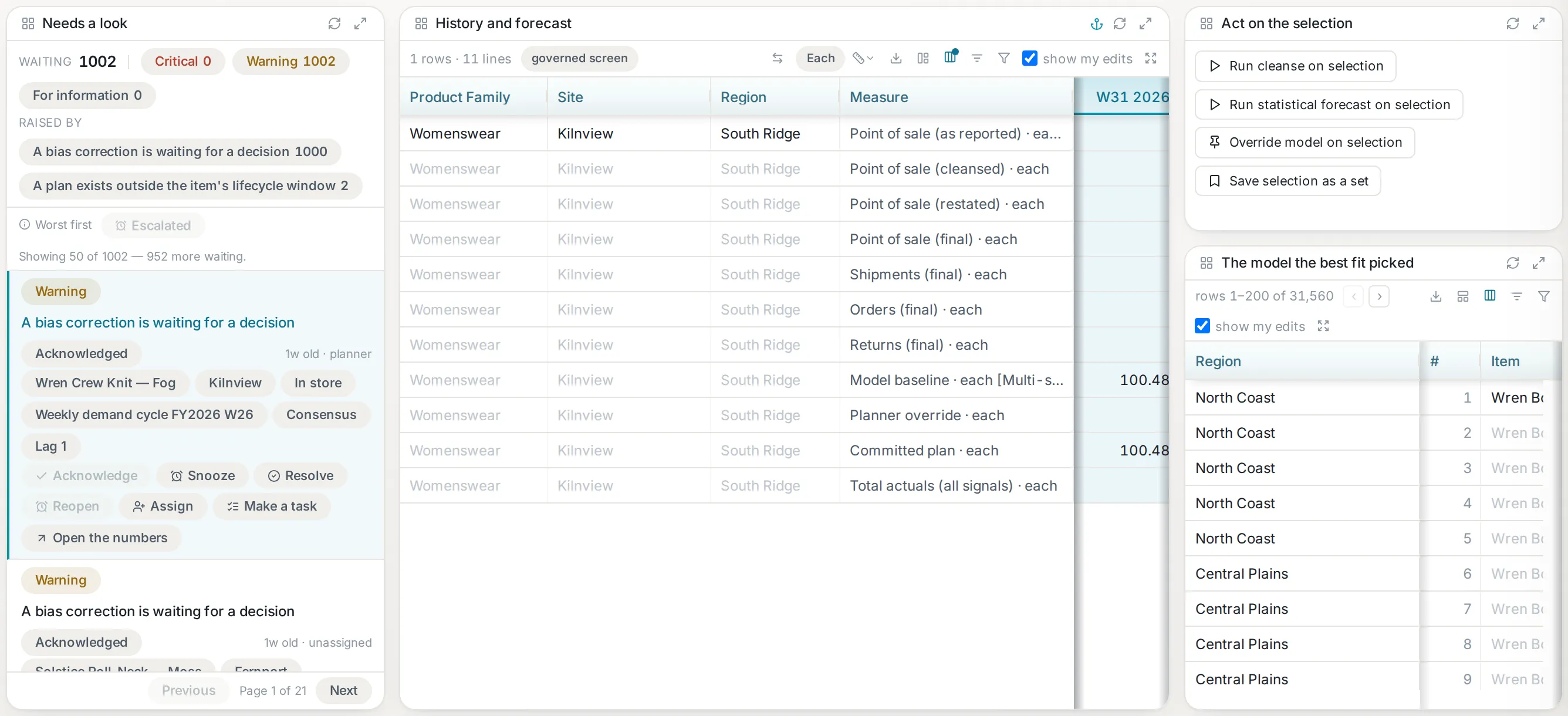
    The Demand Workbench’s three panes: the worklist on the left, the history-and-forecast grid in the centre, and the actions rail on the right.The Demand Workbench’s three panes: the worklist on the left, the history-and-forecast grid in the centre, and the actions rail on the right.
    The Demand Workbench’s three panes: the worklist on the left, the history-and-forecast grid in the centre, and the actions rail on the right.The Demand Workbench’s three panes: the worklist on the left, the history-and-forecast grid in the centre, and the actions rail on the right.
  2. Frame 2 of 10

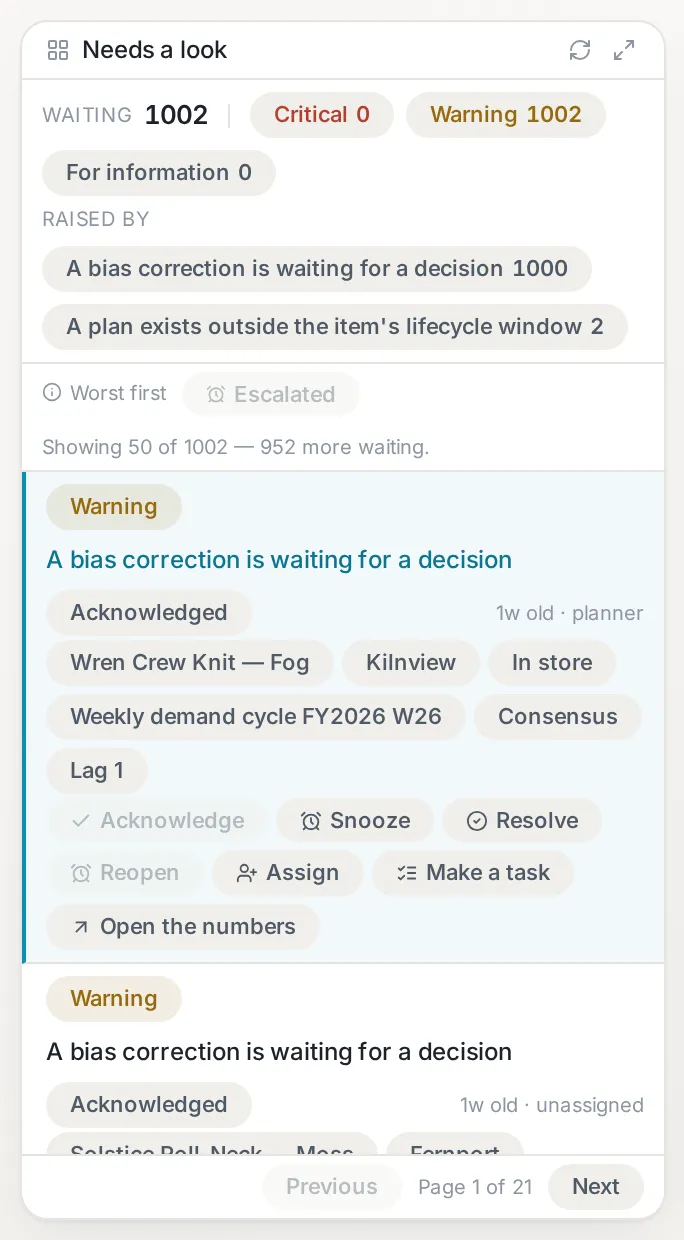
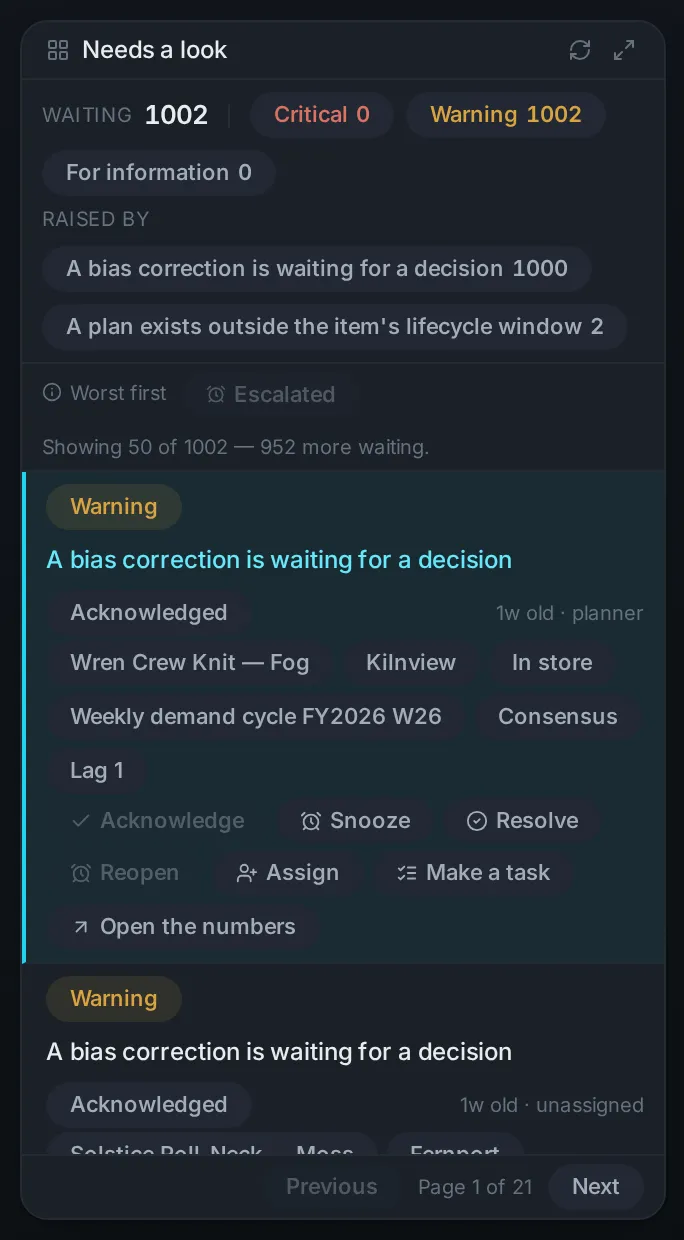
    What needs a look, worst first

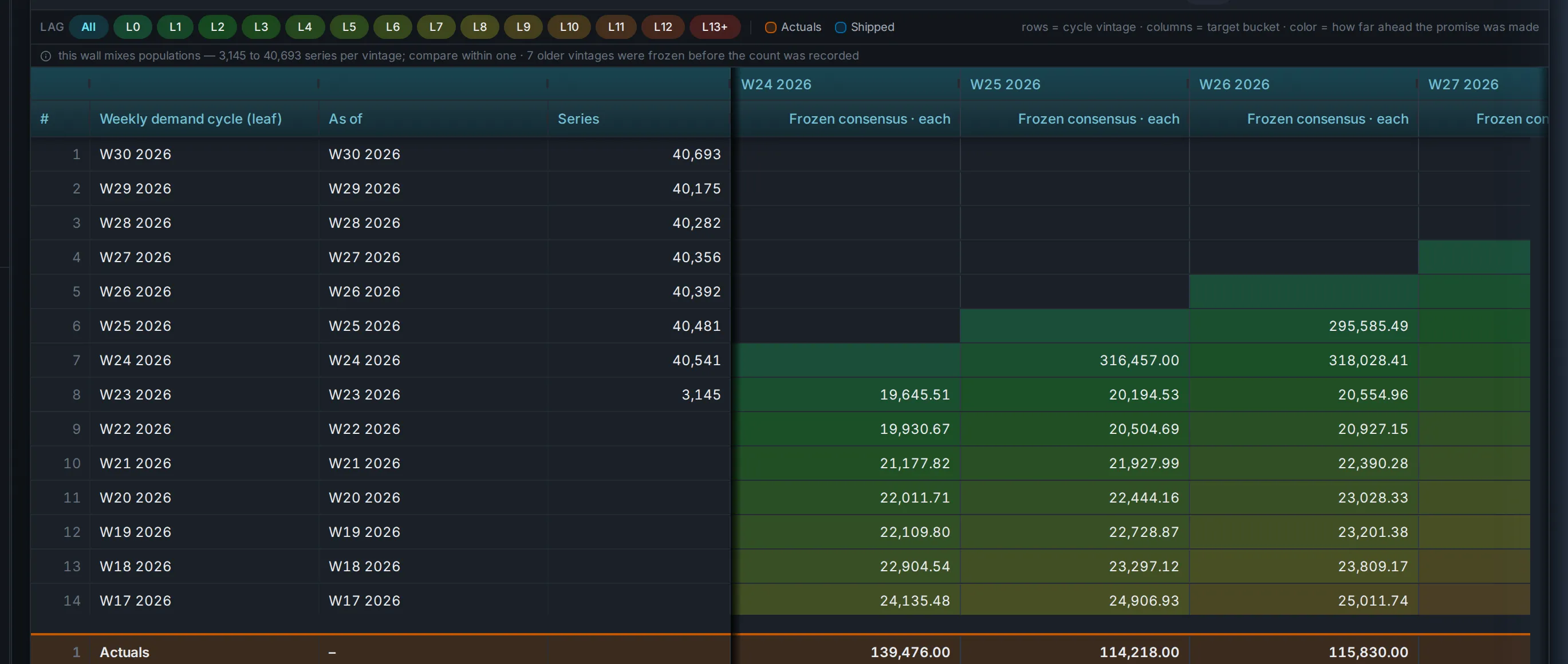
    The review queue: the series that need a look, worst first, with the reason and the verbs beside each.
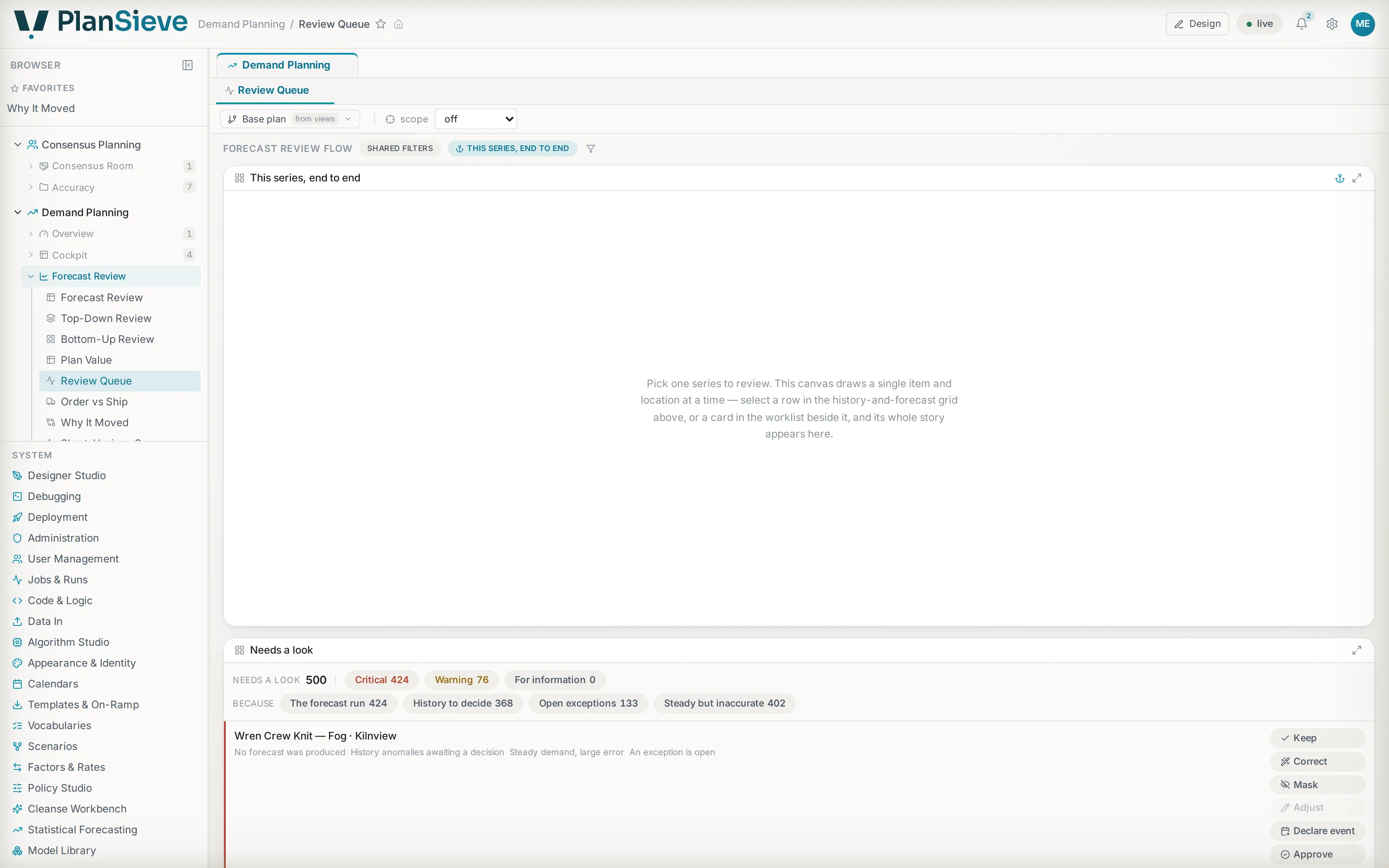
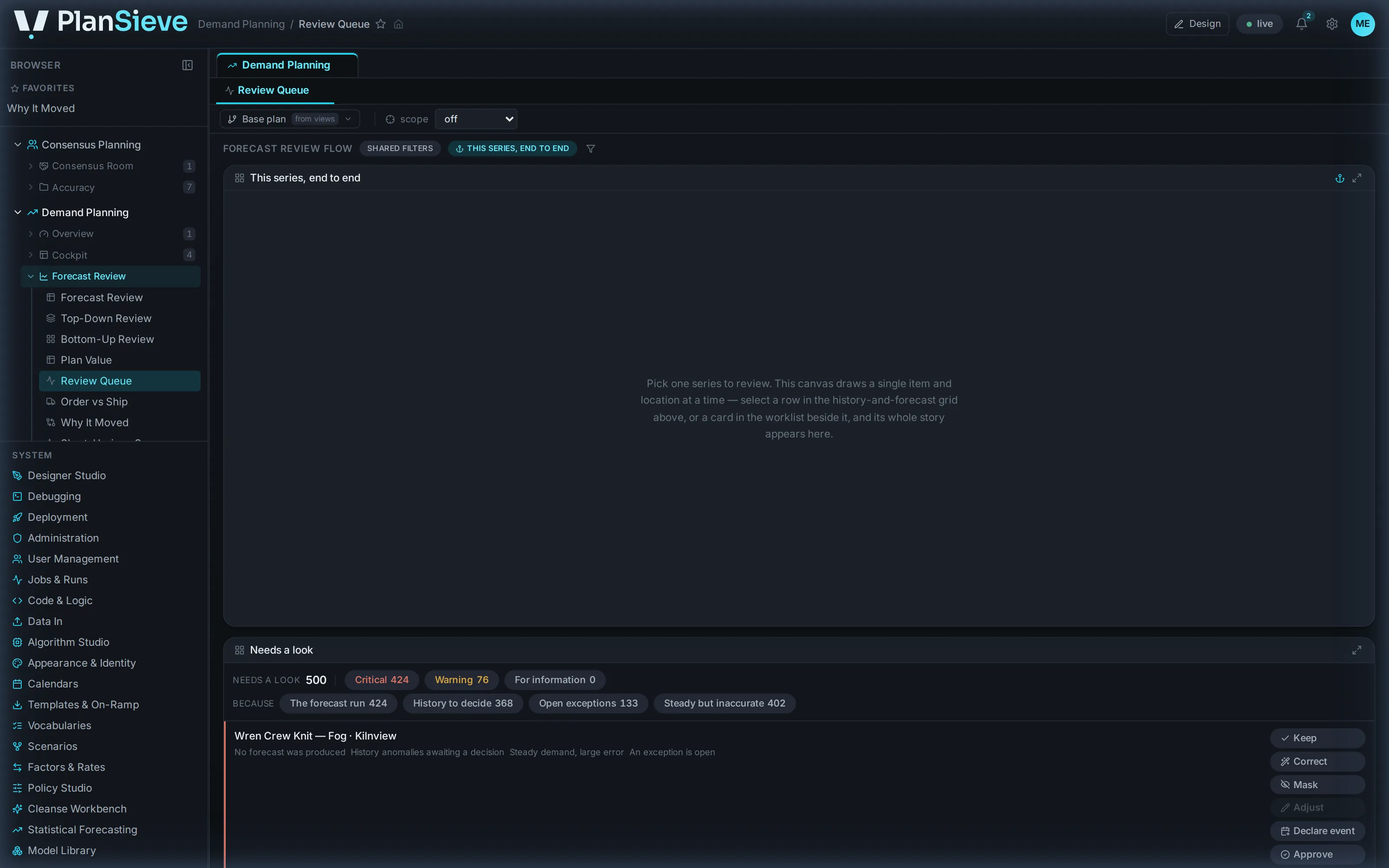
    The review queue: series ranked worst first, a reason column, and the verdict verbs on every row.The review queue: series ranked worst first, a reason column, and the verdict verbs on every row.
    The review queue: series ranked worst first, a reason column, and the verdict verbs on every row.The review queue: series ranked worst first, a reason column, and the verdict verbs on every row.
  3. Frame 3 of 10

    One gesture, and the engines hear it

    Act on the selection: cleanse, re-forecast, override the model or save the set, each a governed run.
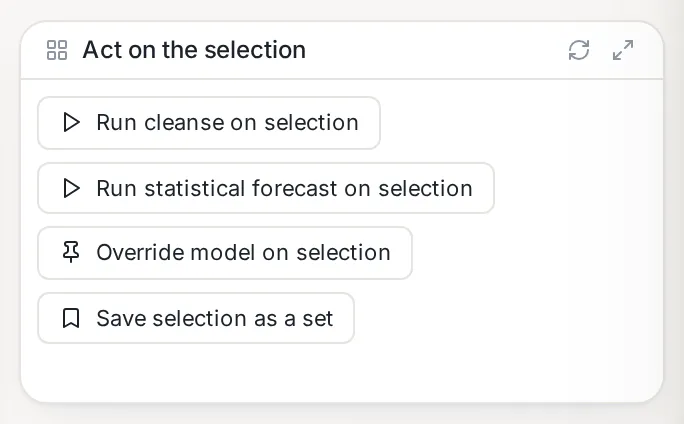
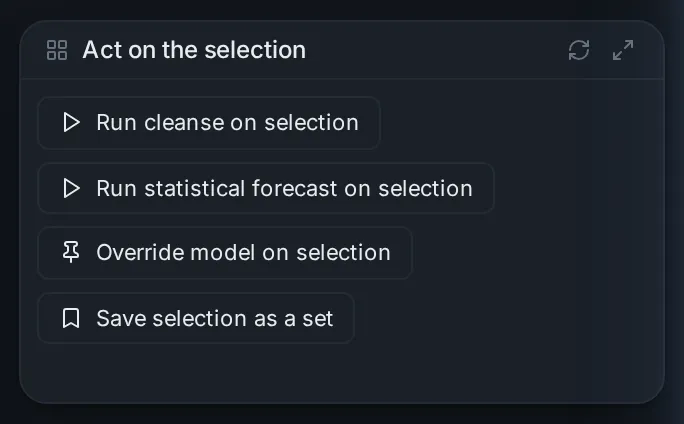
    The actions rail, close up: cleanse, re-forecast, override the model, and save the selection as a set.The actions rail, close up: cleanse, re-forecast, override the model, and save the selection as a set.
  4. Frame 4 of 10

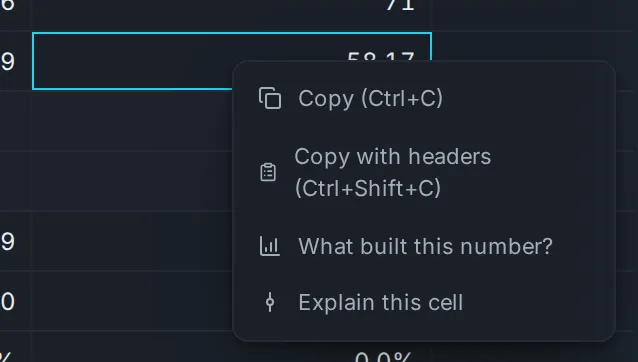
    Ask any number why

    The cell's own menu: the model's words, the driver waterfall and the lineage, one click away.
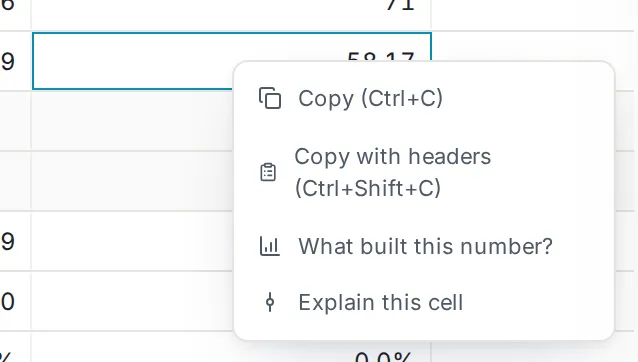
    A right-click menu on a forecast cell: copy, copy with headers, what built this number, and explain this cell.A right-click menu on a forecast cell: copy, copy with headers, what built this number, and explain this cell.
  5. Frame 5 of 10

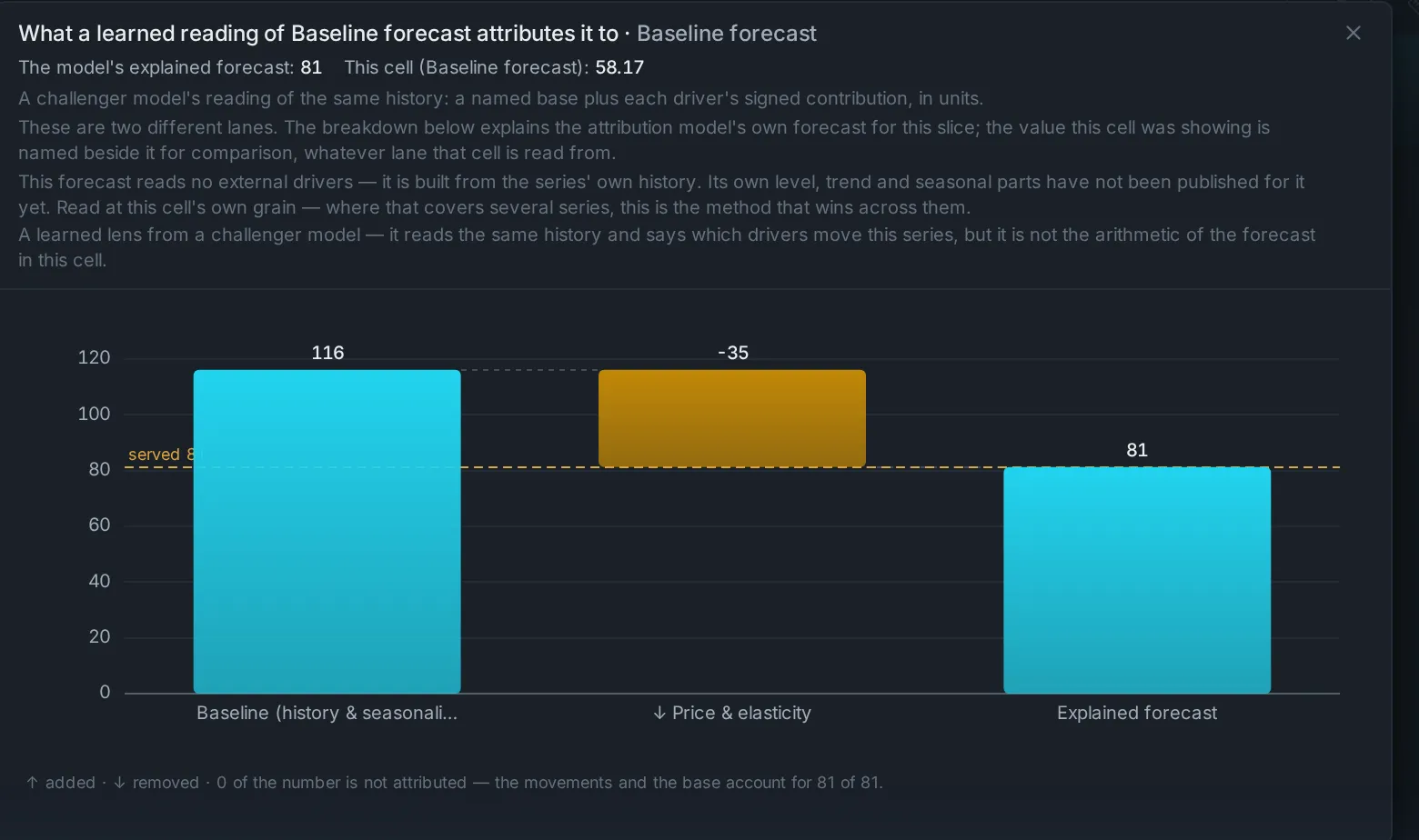
    What built this number

    The signed driver waterfall for one cell: base, drivers, explained forecast.
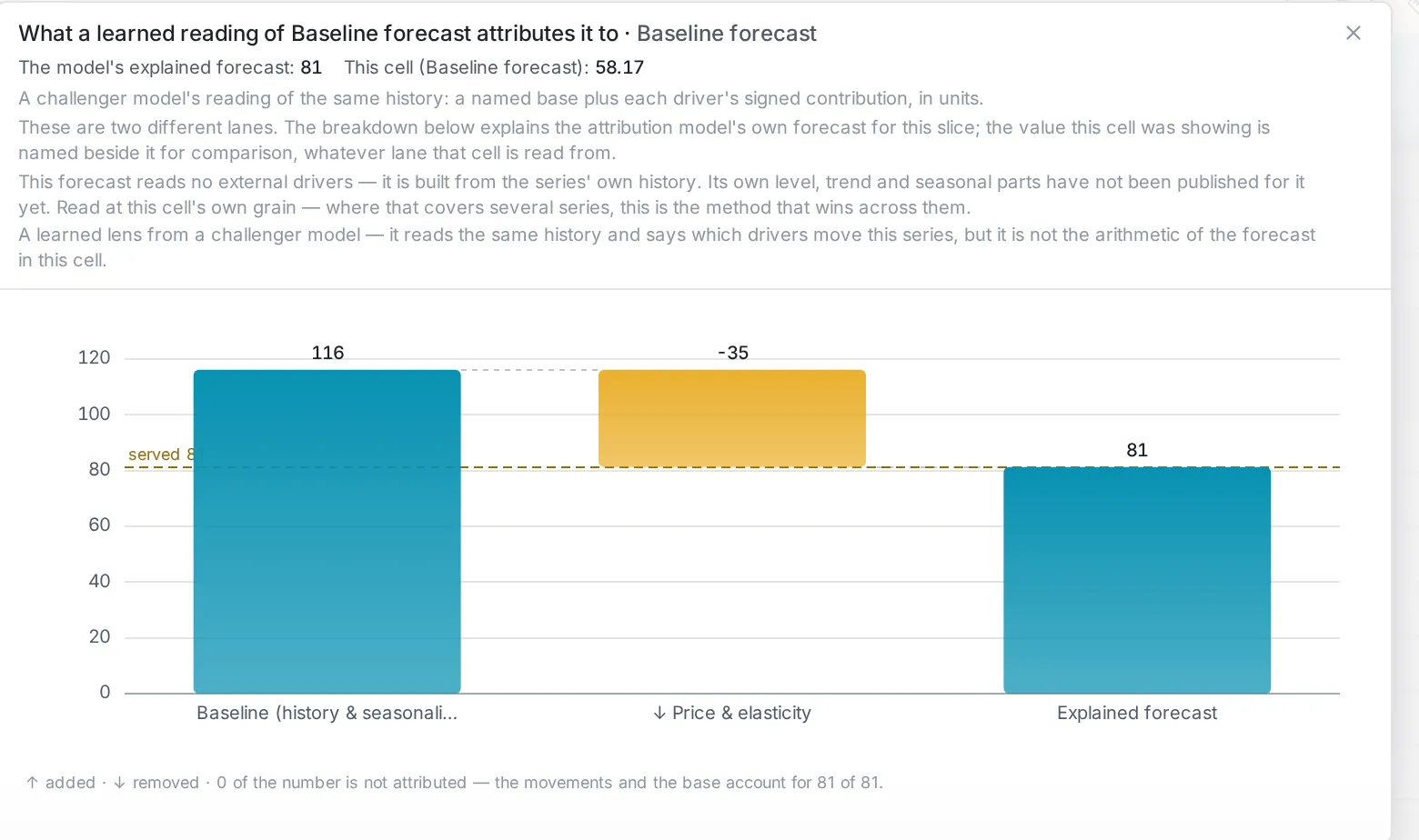
    A waterfall for one cell: the base level, each driver’s signed contribution, and the explained forecast.A waterfall for one cell: the base level, each driver’s signed contribution, and the explained forecast.
  6. Frame 6 of 10

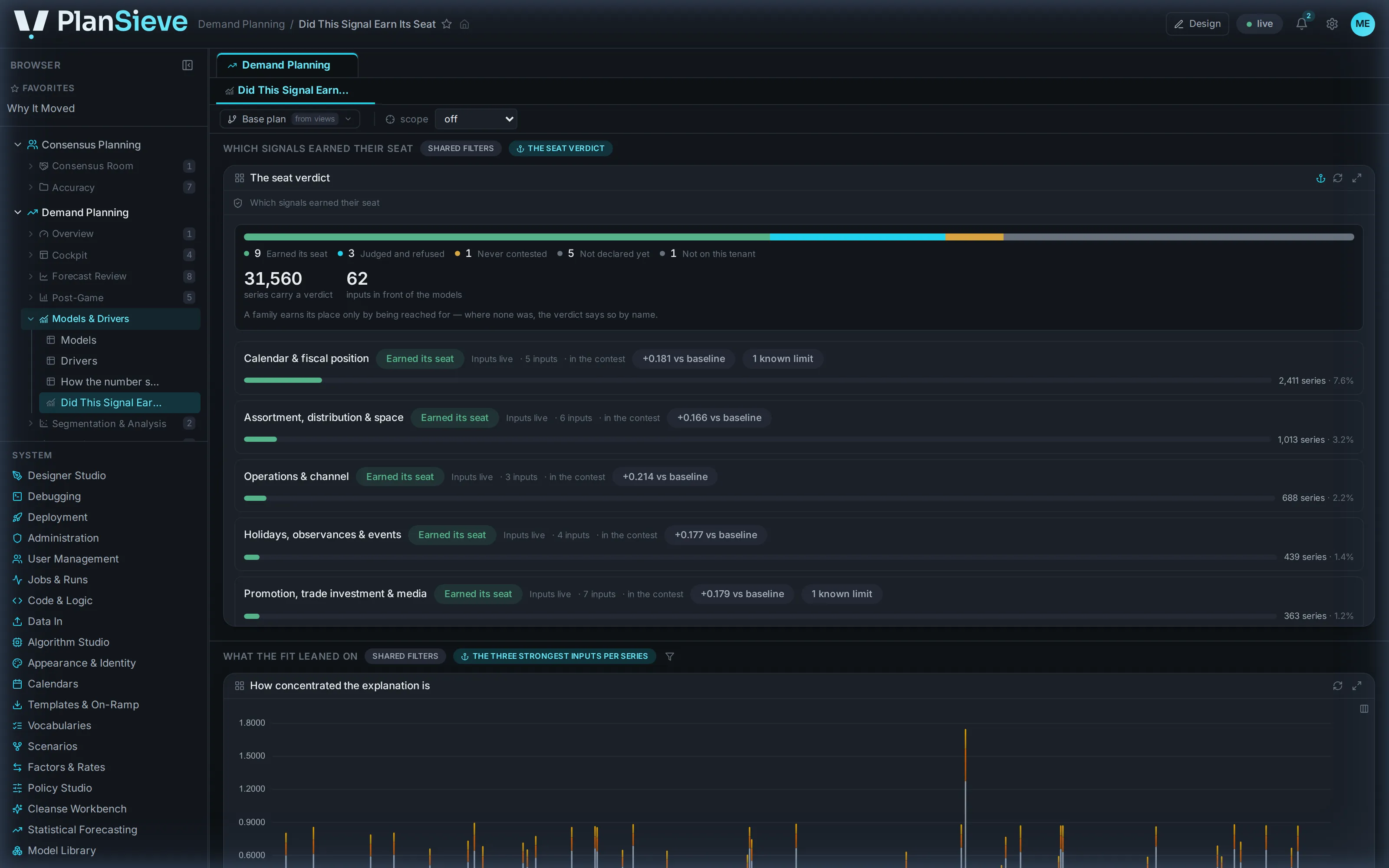
    The model is allowed to say no

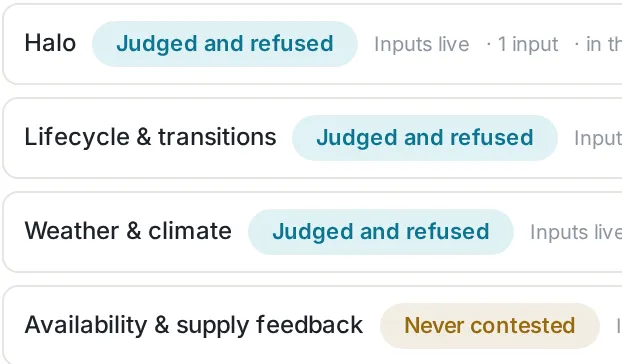
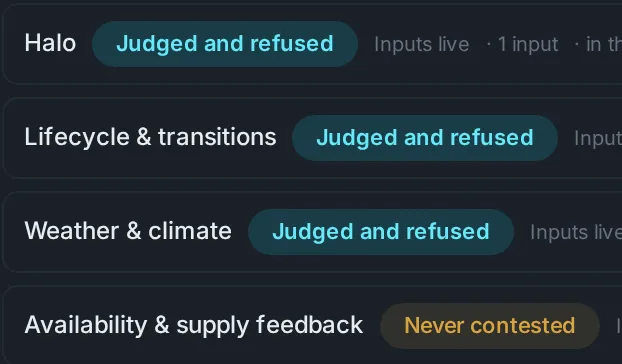
    Did this signal earn its seat: every input family judged, with the refusals stated by name.
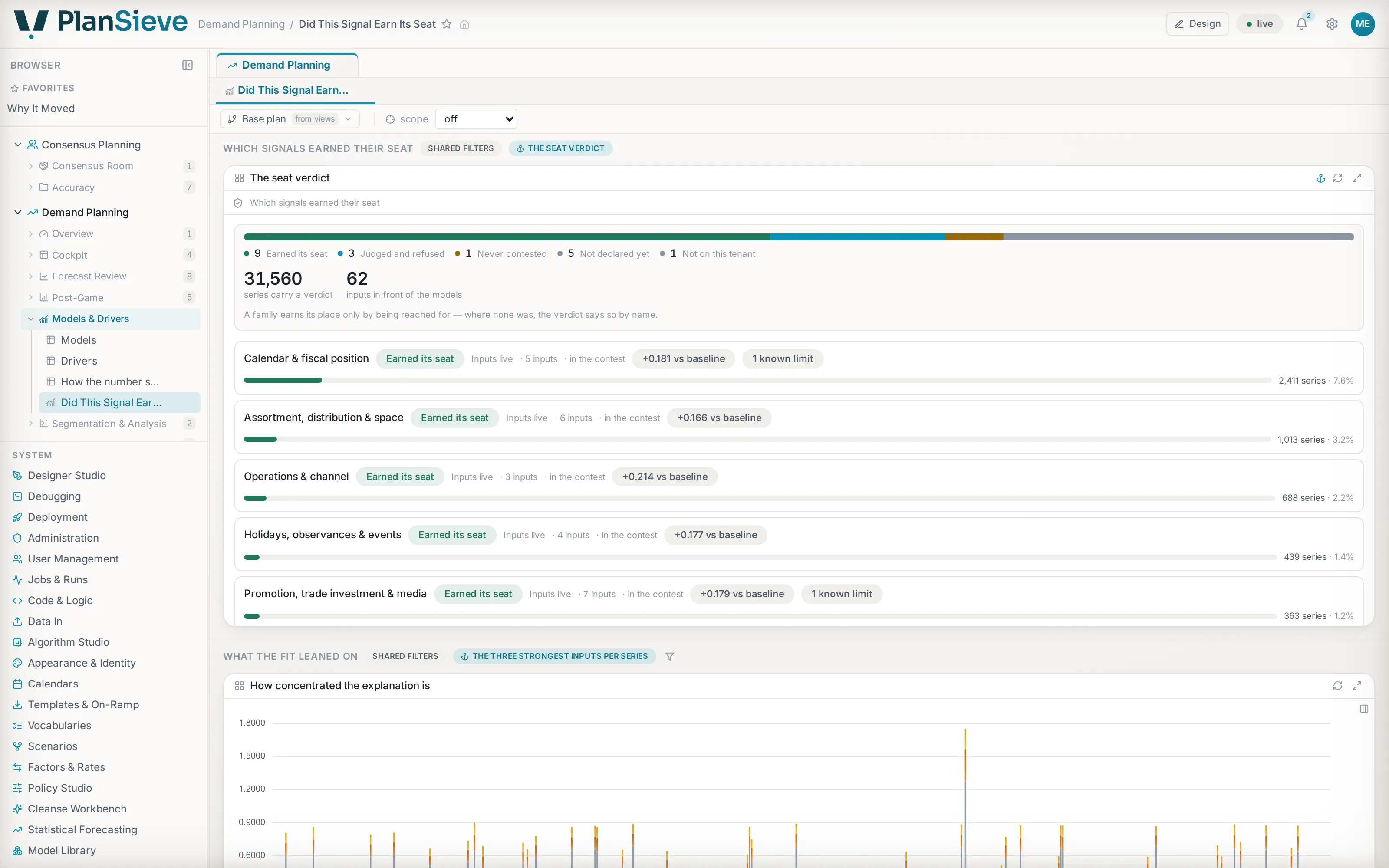
    Did this signal earn its seat: a census bar of driver families, with the judged-and-refused row stated in words.Did this signal earn its seat: a census bar of driver families, with the judged-and-refused row stated in words.
    Did this signal earn its seat: a census bar of driver families, with the judged-and-refused row stated in words.Did this signal earn its seat: a census bar of driver families, with the judged-and-refused row stated in words.
  7. Frame 7 of 10

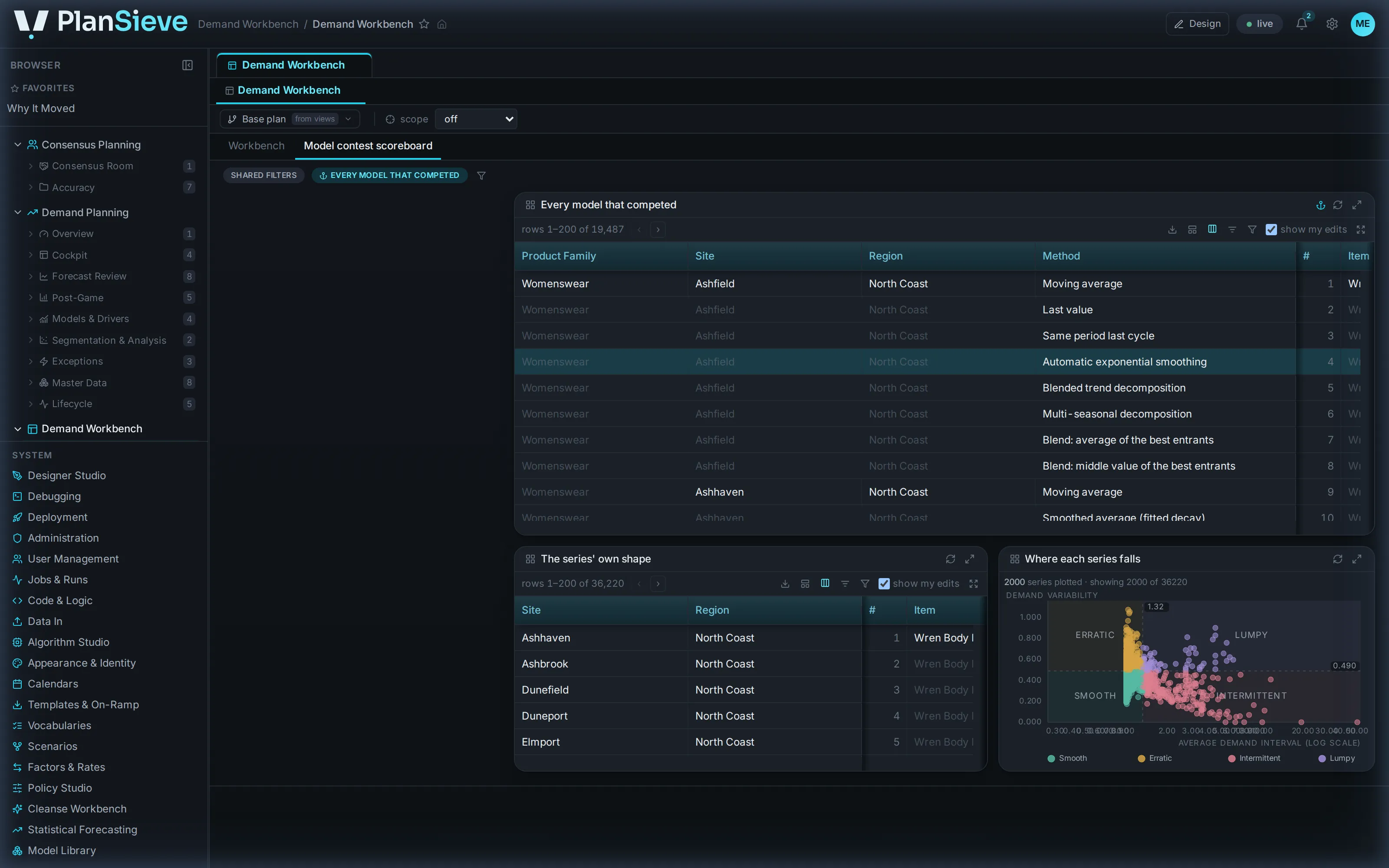
    A contest for every series

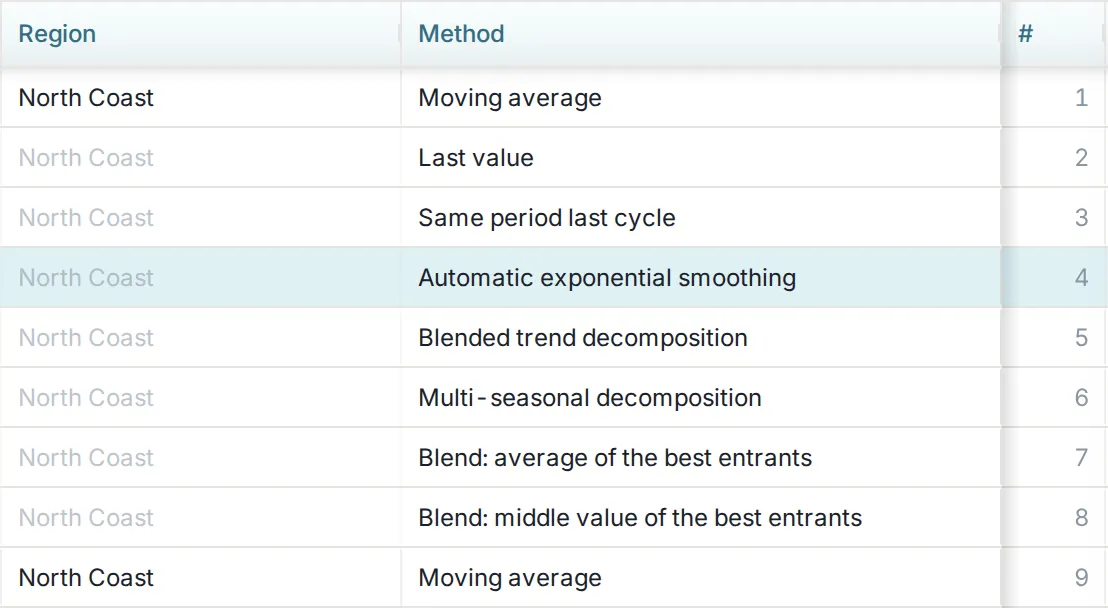
    Every model that competed for every series, with the winner and the runner-up named.
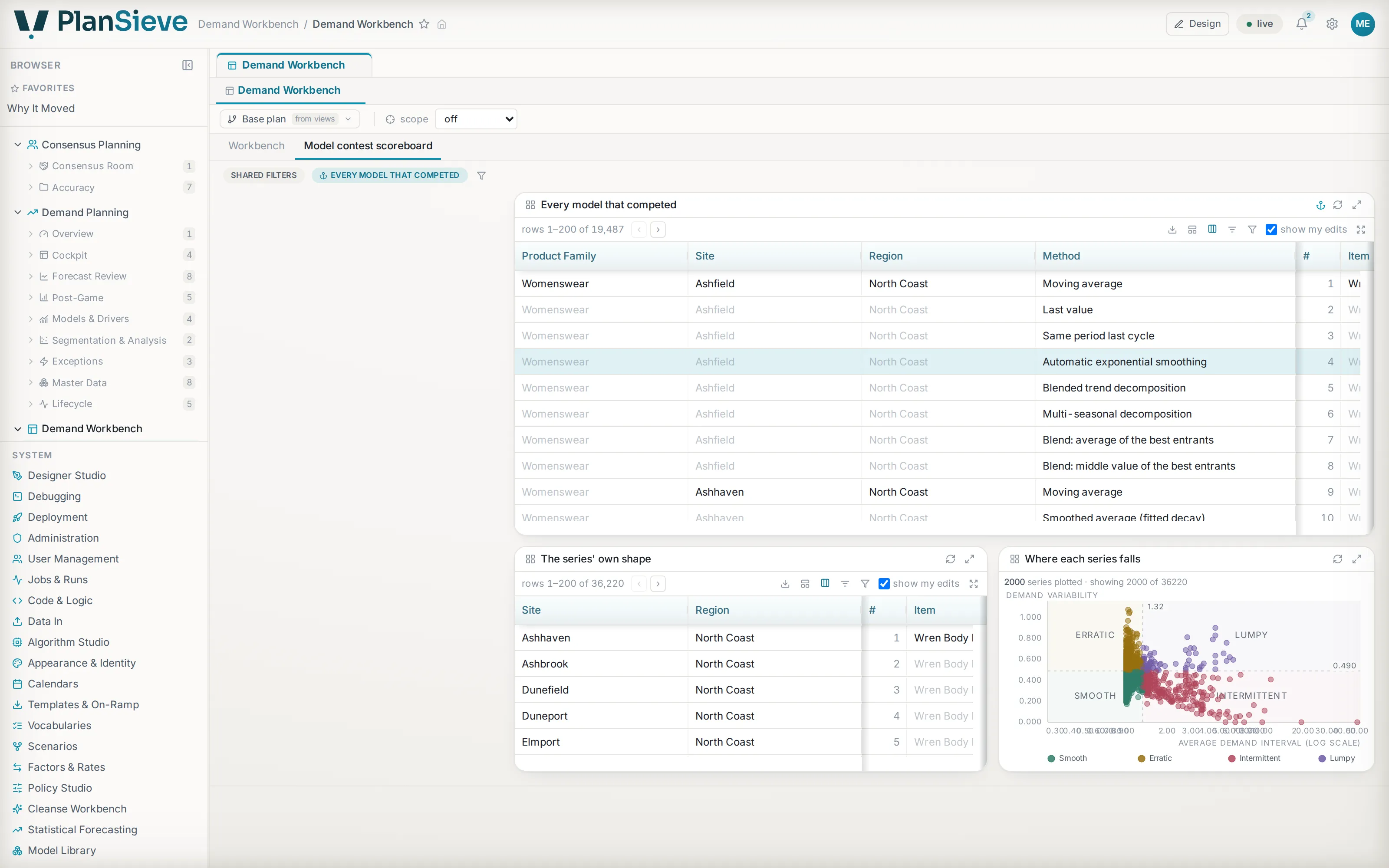
    The model contest scoreboard: every method that competed, with rank, error and margin per series.The model contest scoreboard: every method that competed, with rank, error and margin per series.
    The model contest scoreboard: every method that competed, with rank, error and margin per series.The model contest scoreboard: every method that competed, with rank, error and margin per series.
  8. Frame 8 of 10

    Every setting is a switch you own

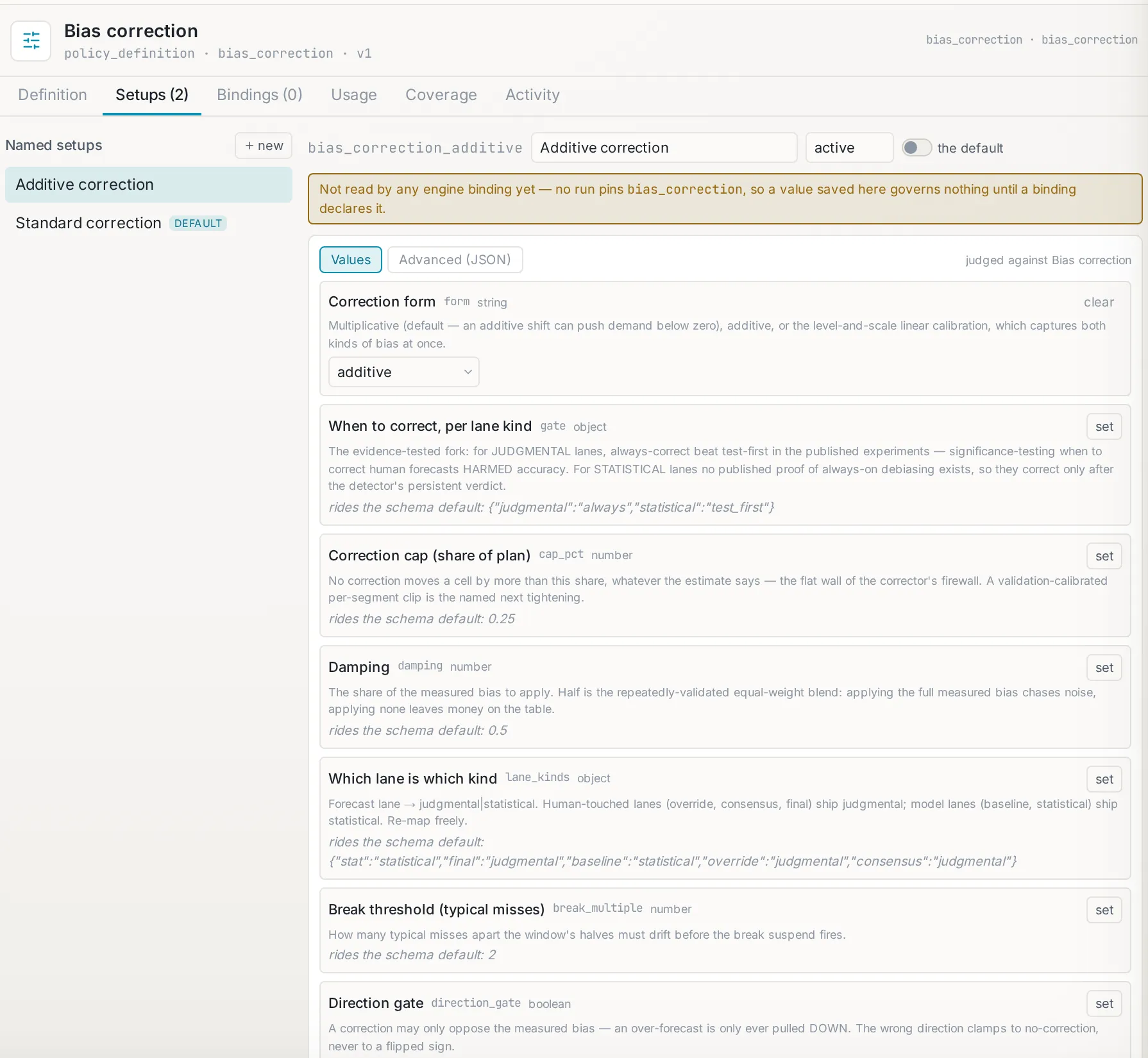
    Policy Studio: a family's named setups, each option typed, described and riding a default until set.
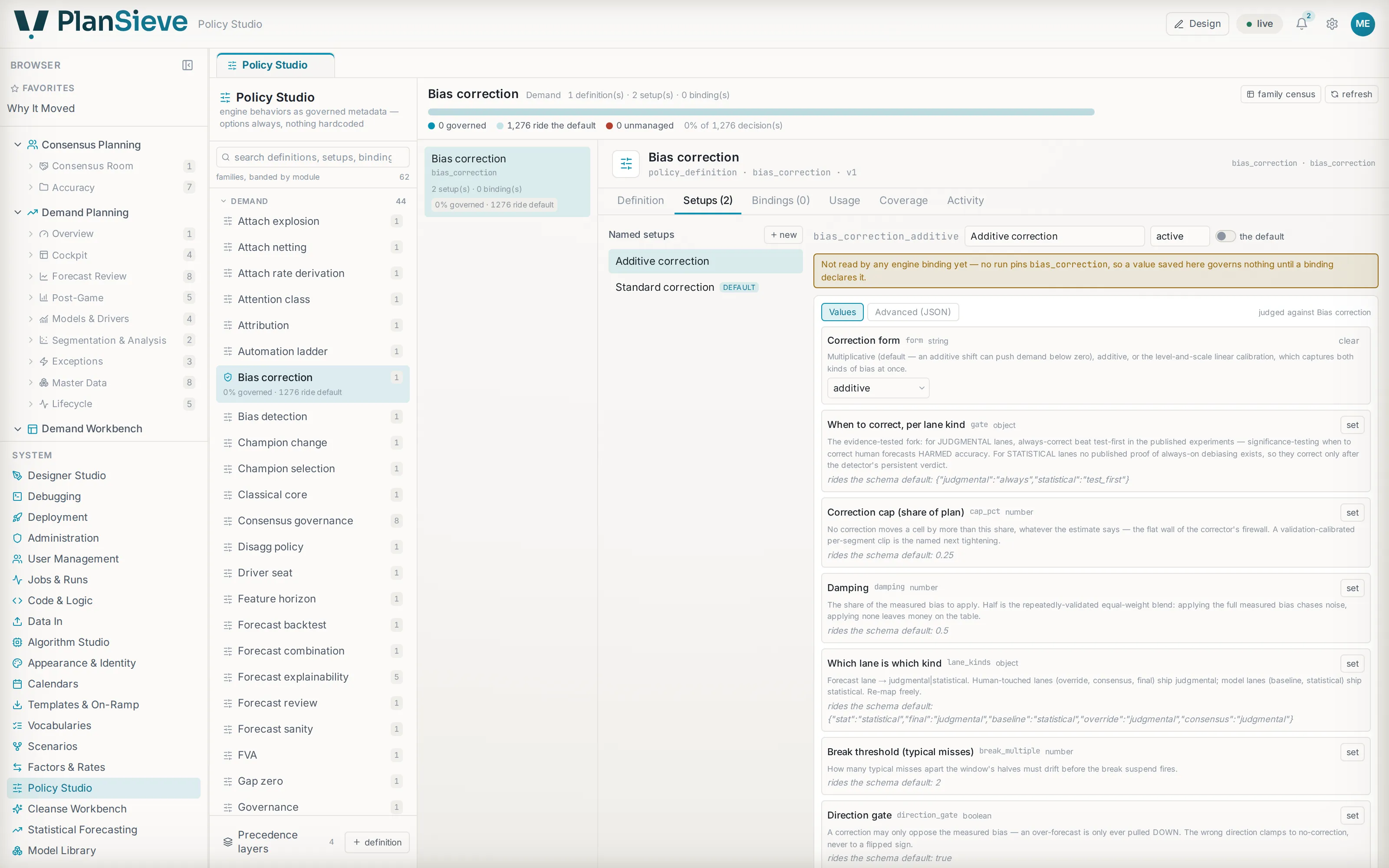
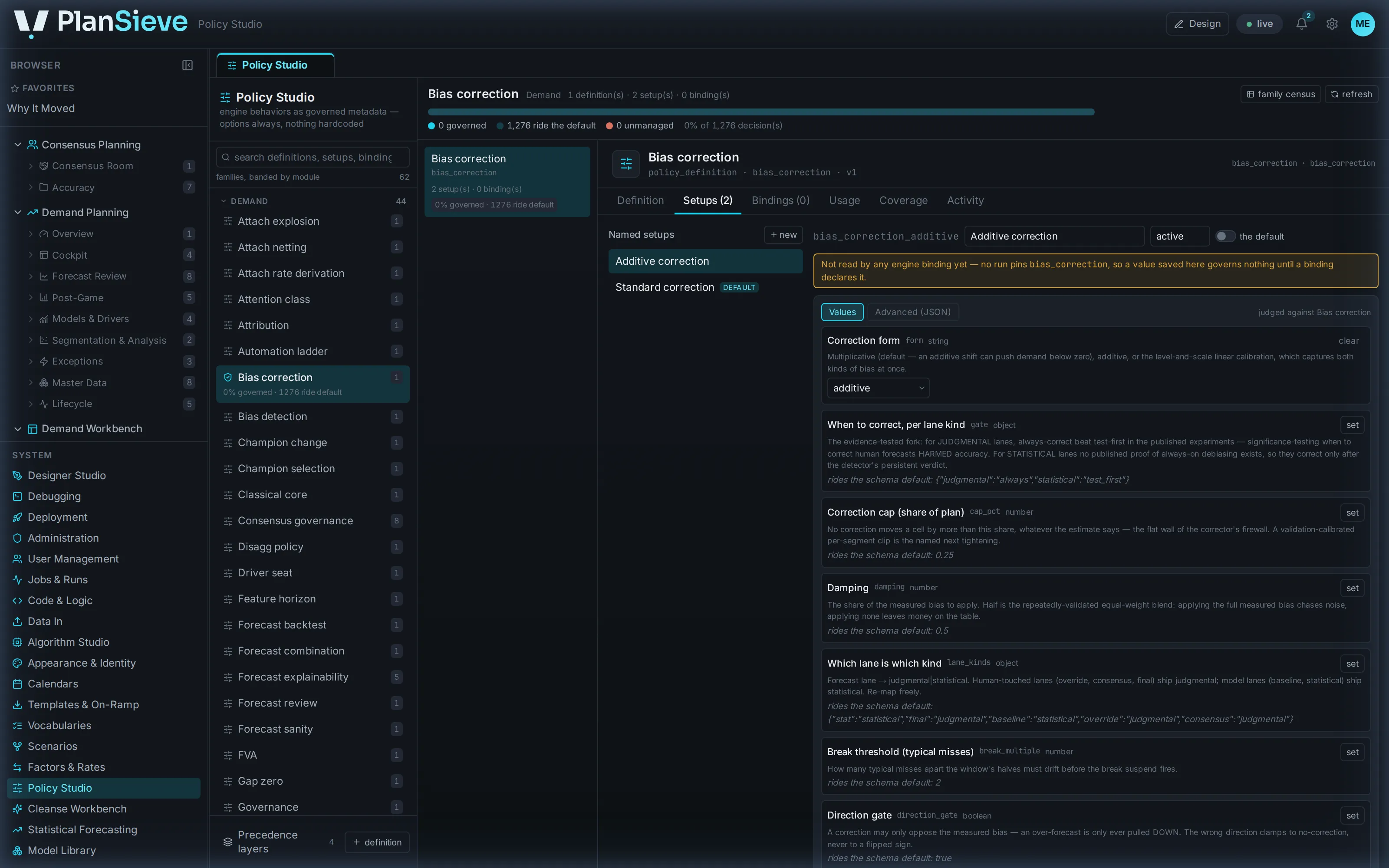
    Policy Studio: a policy family’s named setups, each option typed and described, with the layer it resolves through.Policy Studio: a policy family’s named setups, each option typed and described, with the layer it resolves through.
    Policy Studio: a policy family’s named setups, each option typed and described, with the layer it resolves through.Policy Studio: a policy family’s named setups, each option typed and described, with the layer it resolves through.
  9. Frame 9 of 10

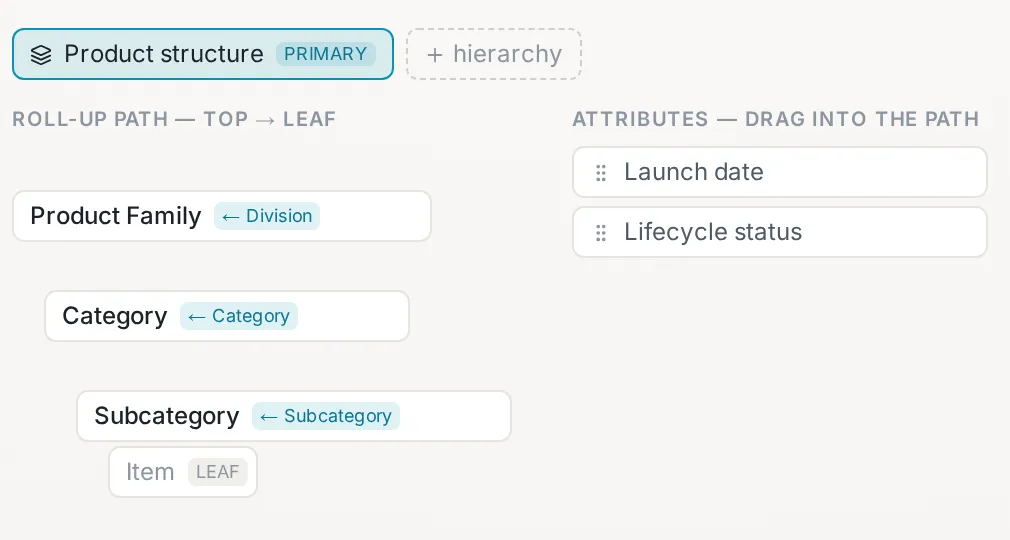
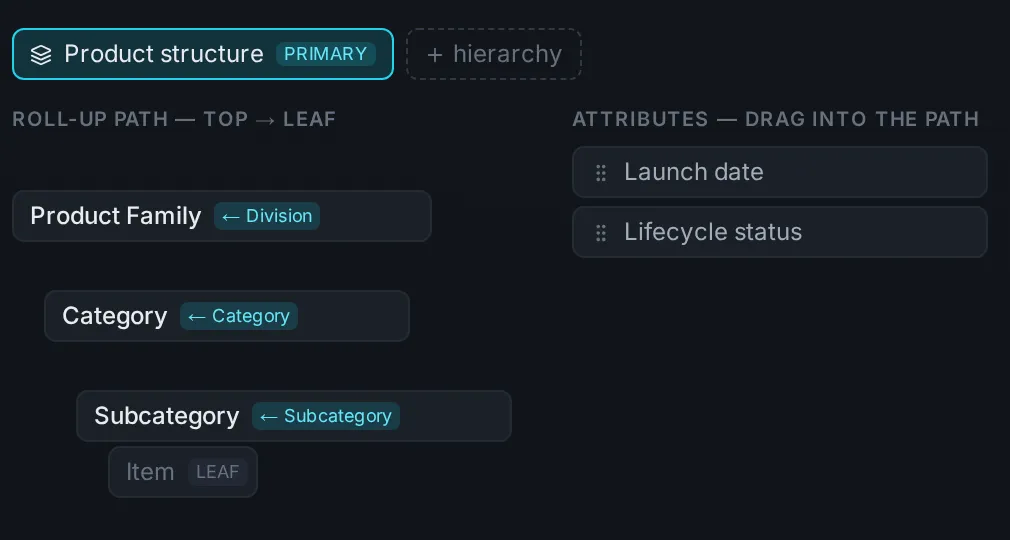
    Your vocabulary, built from the interface

    Designer Studio: a dimension's hierarchy path, its attributes and its derived members, built from the interface.
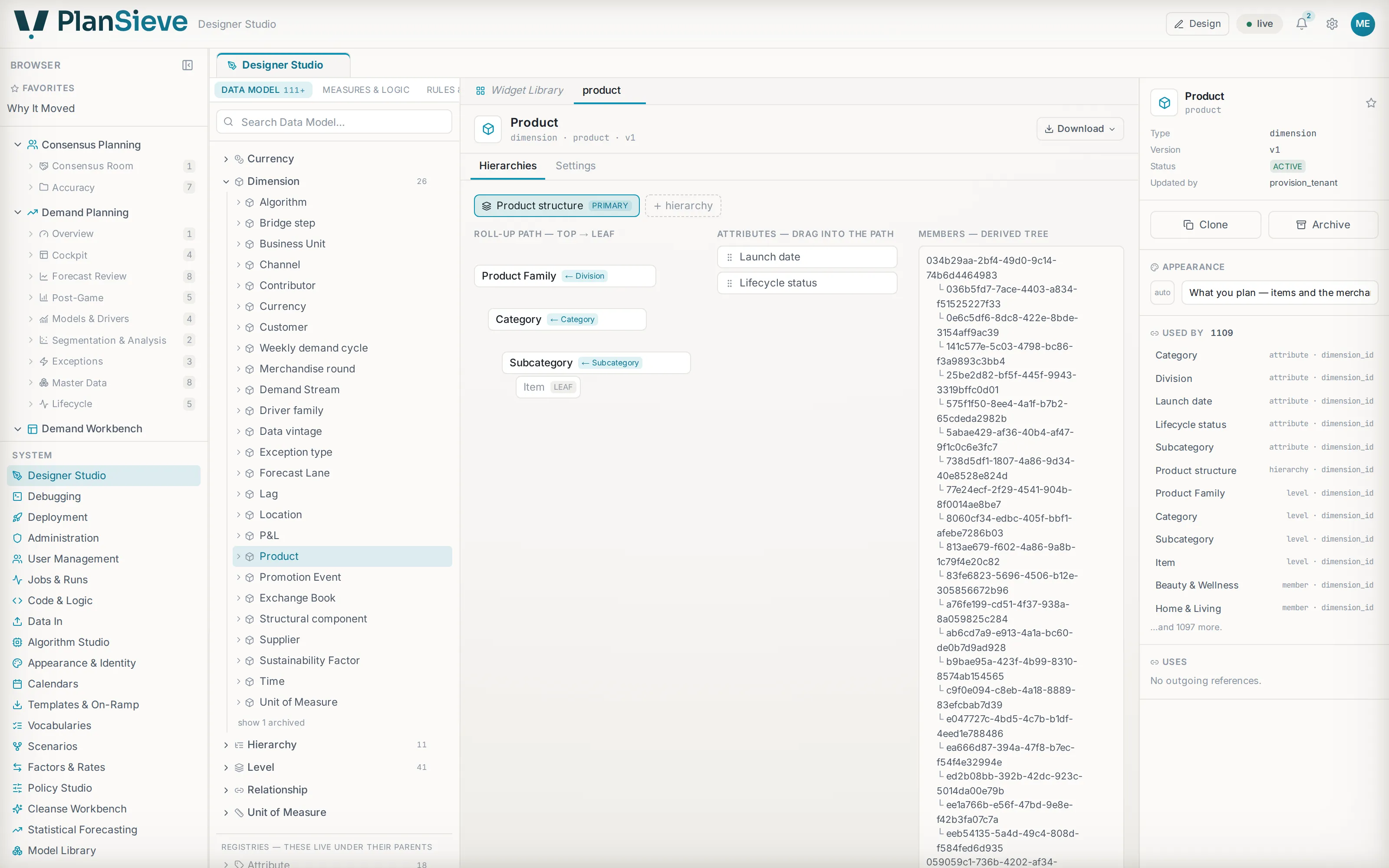
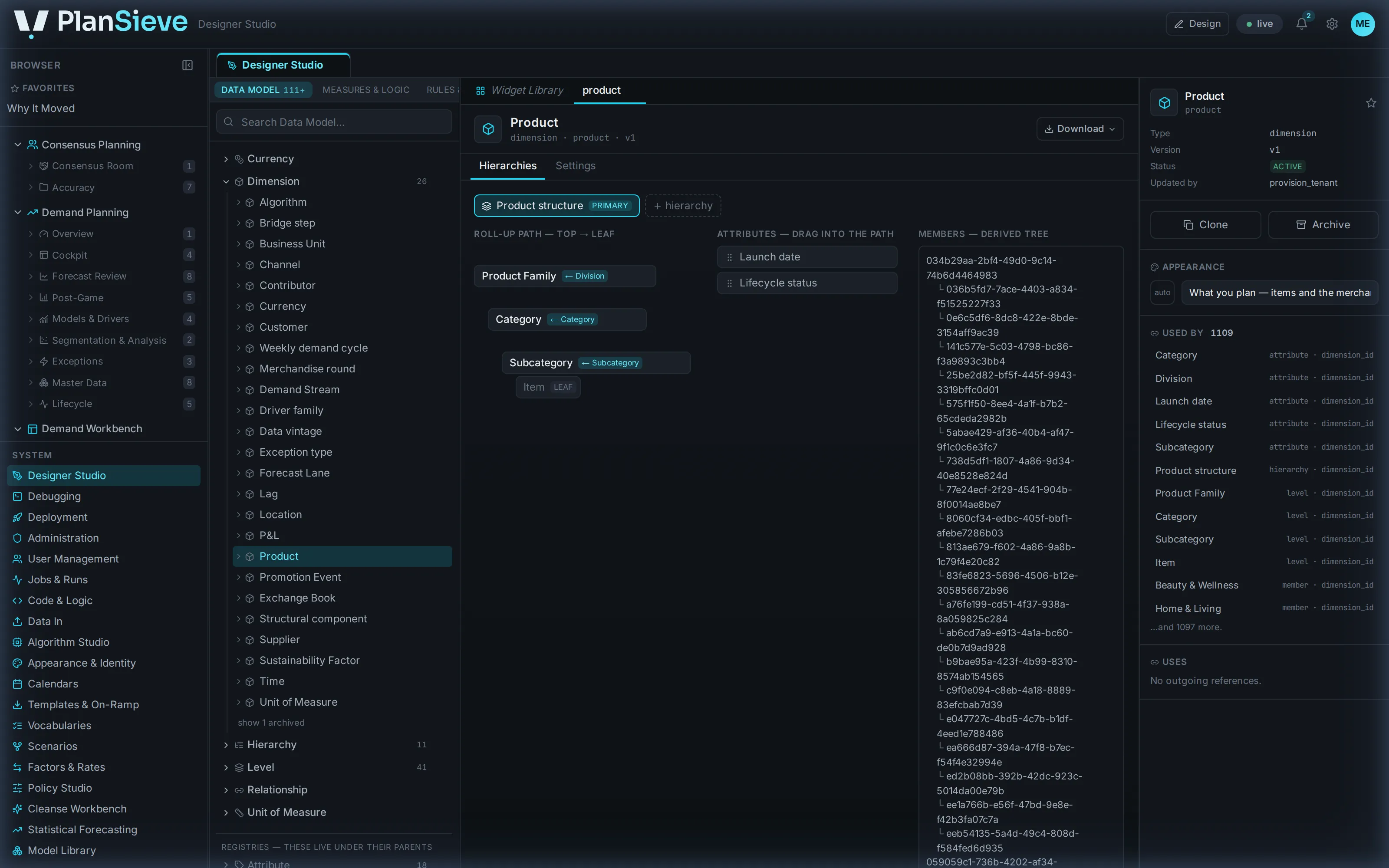
    Designer Studio: a dimension’s levels and hierarchy path on the canvas, with its attributes and derived members.Designer Studio: a dimension’s levels and hierarchy path on the canvas, with its attributes and derived members.
    Designer Studio: a dimension’s levels and hierarchy path on the canvas, with its attributes and derived members.Designer Studio: a dimension’s levels and hierarchy path on the canvas, with its attributes and derived members.
  10. Frame 10 of 10

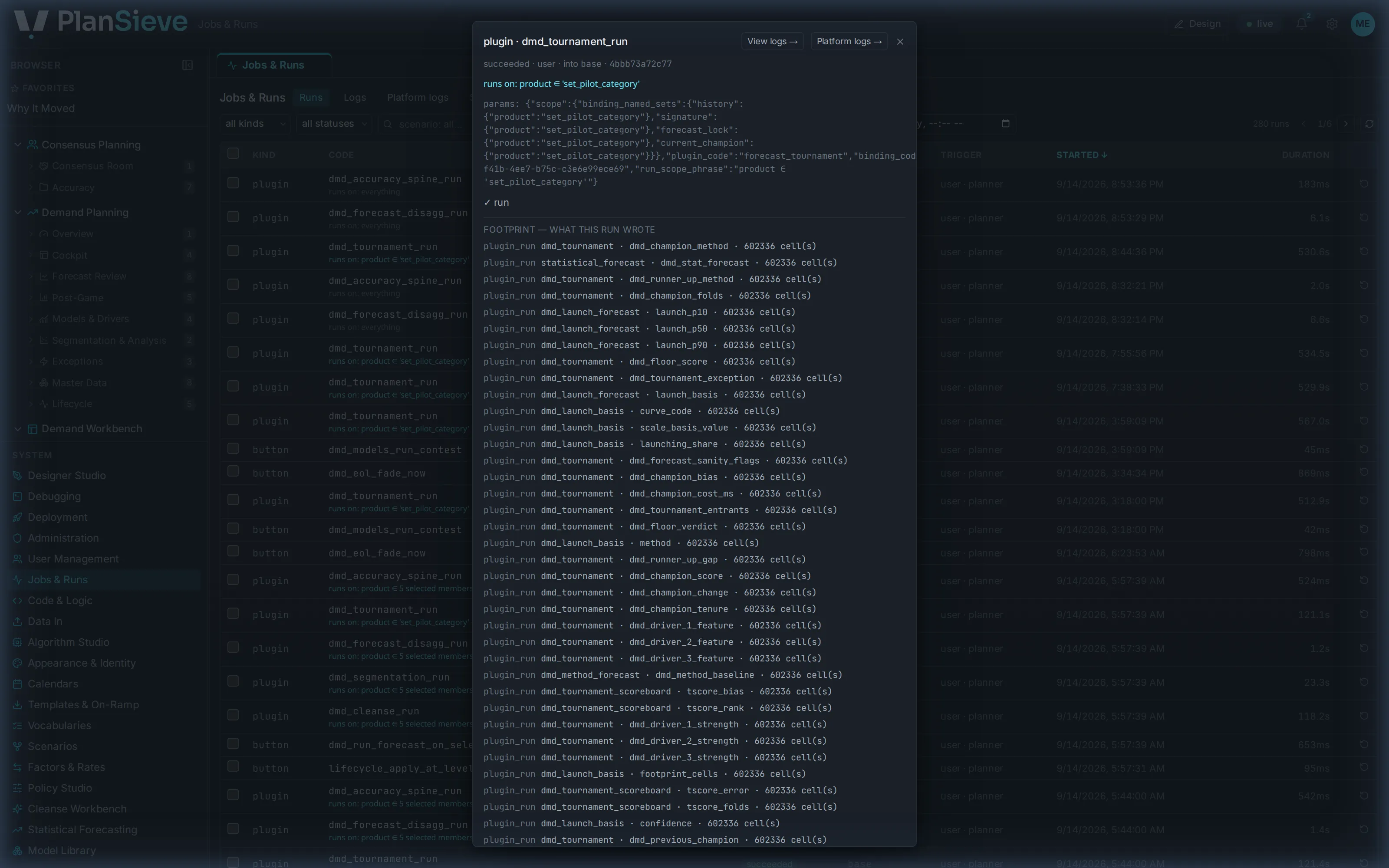
    Every run on the record

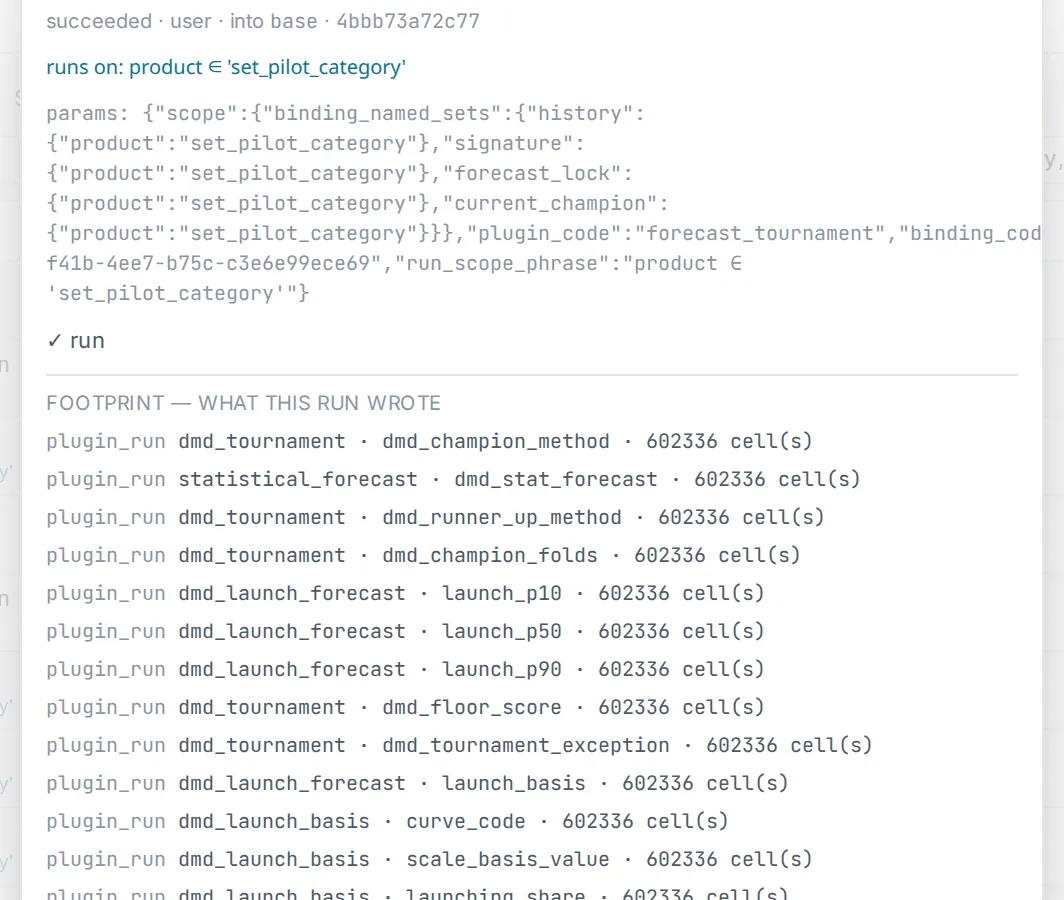
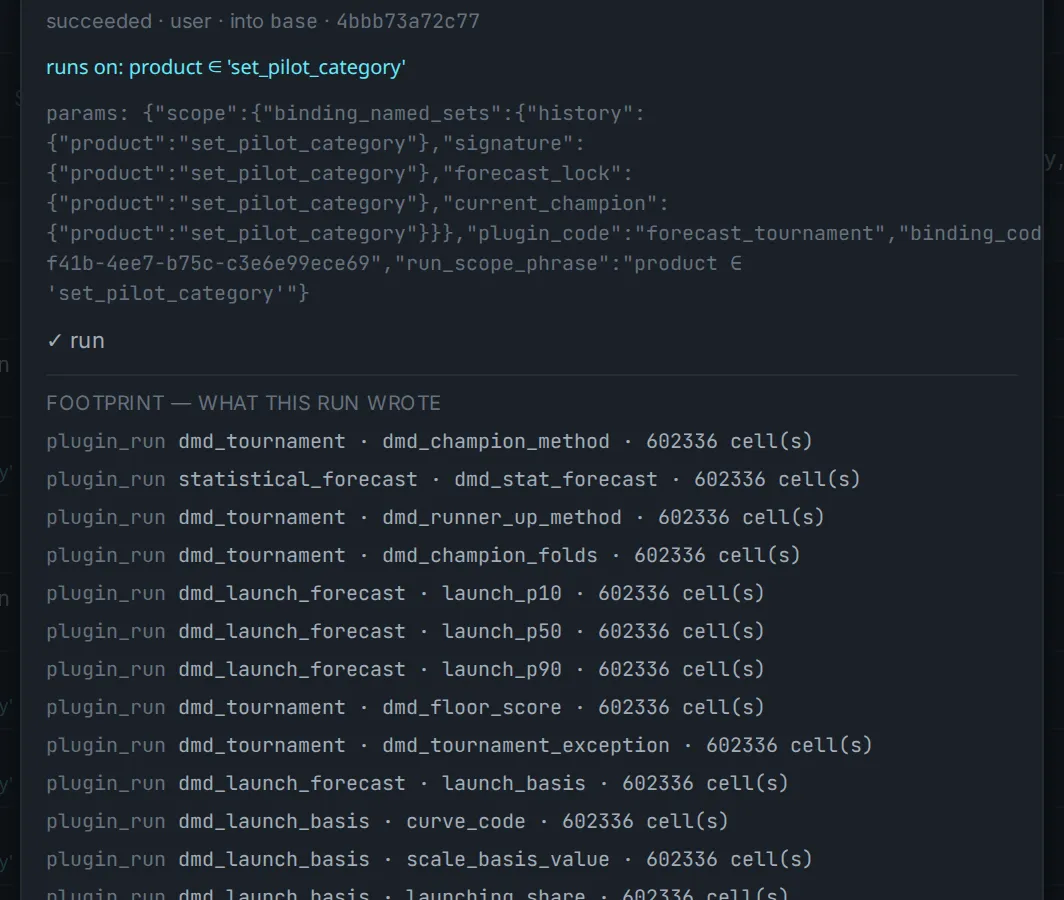
    Jobs and runs: every governed run carries its own scope record: what it ran on and what it wrote.
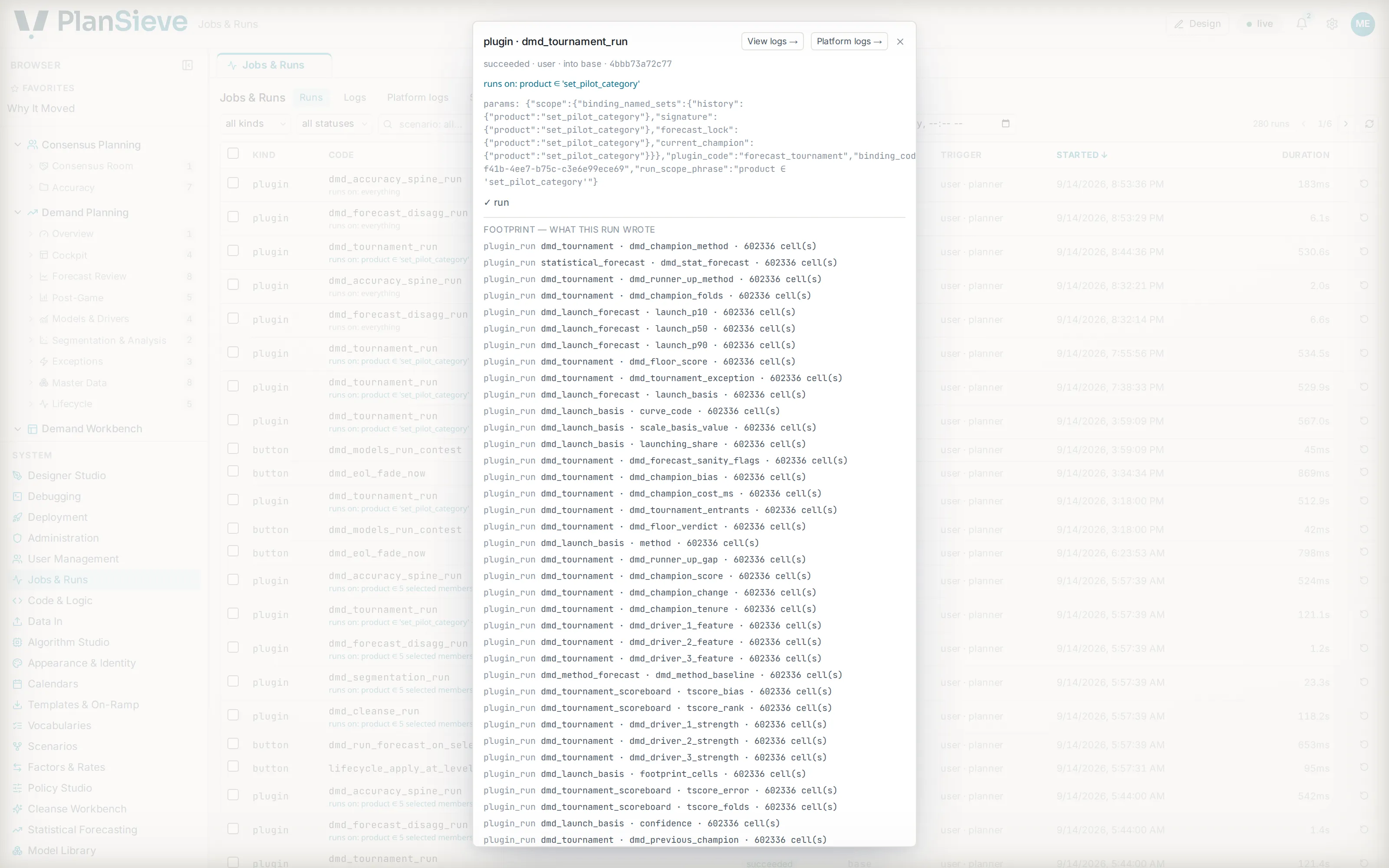
    Jobs and runs: a list of governed runs, each with its scope record, timings and outcome.Jobs and runs: a list of governed runs, each with its scope record, timings and outcome.
    Jobs and runs: a list of governed runs, each with its scope record, timings and outcome.Jobs and runs: a list of governed runs, each with its scope record, timings and outcome.

Each frame is a configured page rendered from metadata, not a screen built for the tour, the same page a planner opens.

The demand module, end to end

The film

The film · Three problems, one platform

Every planning team knows these three. Here is what PlanSieve does about each.
0:002:58

A live demo

See PlanSieve on your data

Three fields. A working demo on your data · no commitment. We reply within one business day.

  1. A person replies from hello@plansieve.com within one business day, no sequence, no scheduler.
  2. You bring history, hierarchies and your vocabulary. We model them in the Designer and load them, the same doors a customer uses.
  3. A working session on your numbers: the contest, the explanation of a cell, a policy switched at the level you name.

What you type here goes to hello@plansieve.com and nowhere else: the privacy notice.

Tell us moreoptional: what you would like to see, and roughly how much data

Up to 2,000 characters. The planning problem, the data you have, the question you want answered.

a working demo on your data · no commitmentWe reply within one business day.

Design partners

A small number of design partners

We are working with a small number of design partners: planning teams who want a say in how the demand module settles, in exchange for an implementation shaped around their vocabulary and their questions.

What a design partner shapes lands as configuration on the one core, a package the next customer can activate, never a private fork. If that is the kind of partnership you are after, say so in the message above; it reaches the same inbox.

Not today?

Send yourself the walkthrough

One field. The link to this page arrives by email, so it is there when you have a quiet hour. Nothing else follows.

The link, by email. Nothing else.